
|
Save documents to Therefore™ |
Scroll |
How do I save documents to Therefore™?
1. To save the currently opened PDF, select Connections in the ribbon menu, click on Therefore™ and choose the option Save to Therefore™.
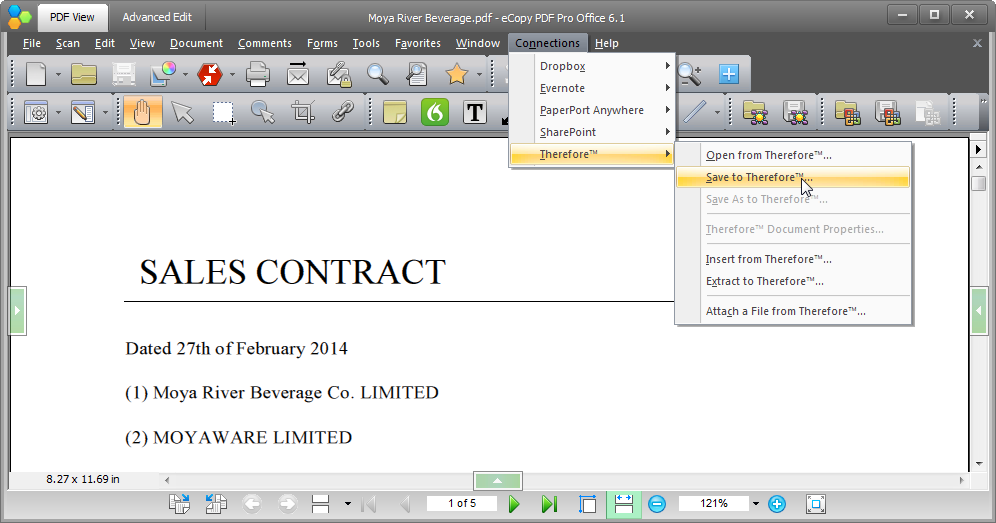
2. A dialog will then open from which you can choose a Therefore™ category, specify index data and then Save to Therefore™.

