Feature Upgrade for Therefore™ Online
04 February 2026
by Cono Fusco

Calling all Therefore™ Online users!
Our team just rolled out a few feature upgrades to the Therefore™ Web Client we think you’ll love.
And the best part? These features are already available NOW. No waiting – get right to it and try them out!
On top of performance and stability improvements, the features listed below have been added. Find the complete release notes for this release (v34.1) here.
Auto-Append
It’s now possible to use auto-append in the Web Client, including selection of auto-append modes and saving options.
- Save a document to a category for which an admin has activated auto-append in the Solution Designer. Auto-append modes and saving options are supported but the configuration is not visible to web client users.
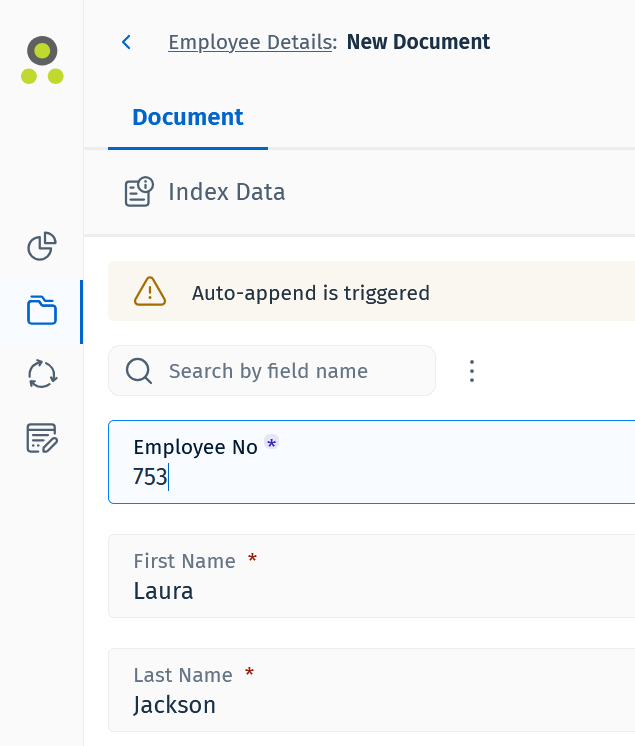
- Auto-append is triggered by filling in the unique field. In this case, that is Employee Number.
- After filling in the unique field a message – ‘Auto-Append is triggered’ – is displayed and the other category fields are automatically filled in, if values exist in the system.
- The new file is saved to the existing document.
Advanced Search
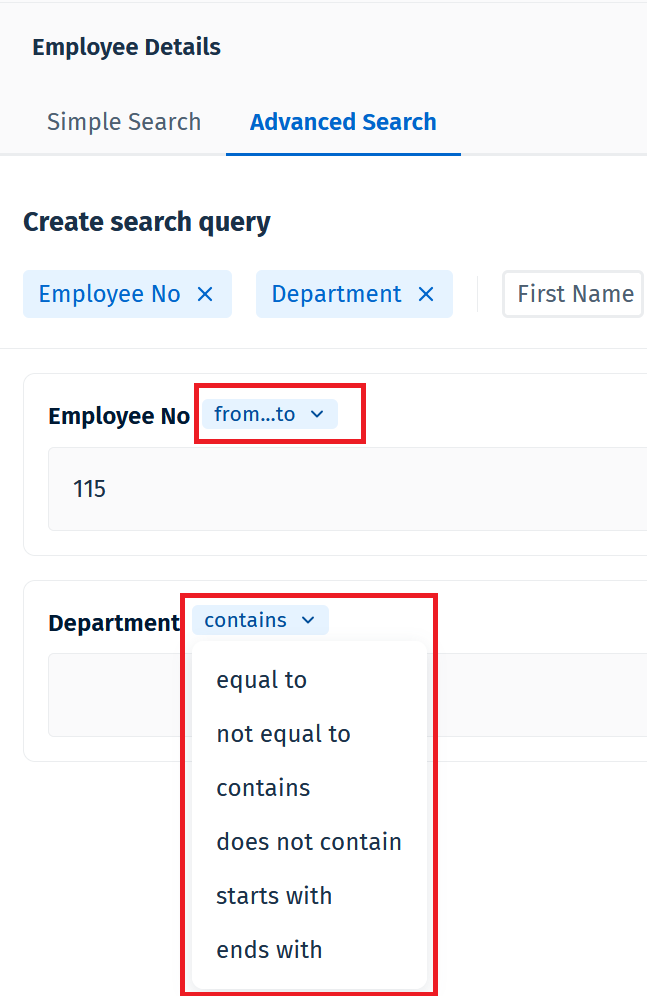
An Operator dropdown was to the Advanced Search options.
- Go to the Advanced Search tab of a category search.
- Select index data fields to use as search criteria.
- Depending on the field, different search operators can be selected from the dropdown menu to search efficiently.
Upgrades to Dashboard Tiles
Graph tiles:
-
- Added options to select item type – Documents, Workflows, or Tasks
- Added parameter selection for workflows
Number tiles:
-
- Added options to select item type – Documents, Workflows, or Tasks
- Added parameter selection based on item type